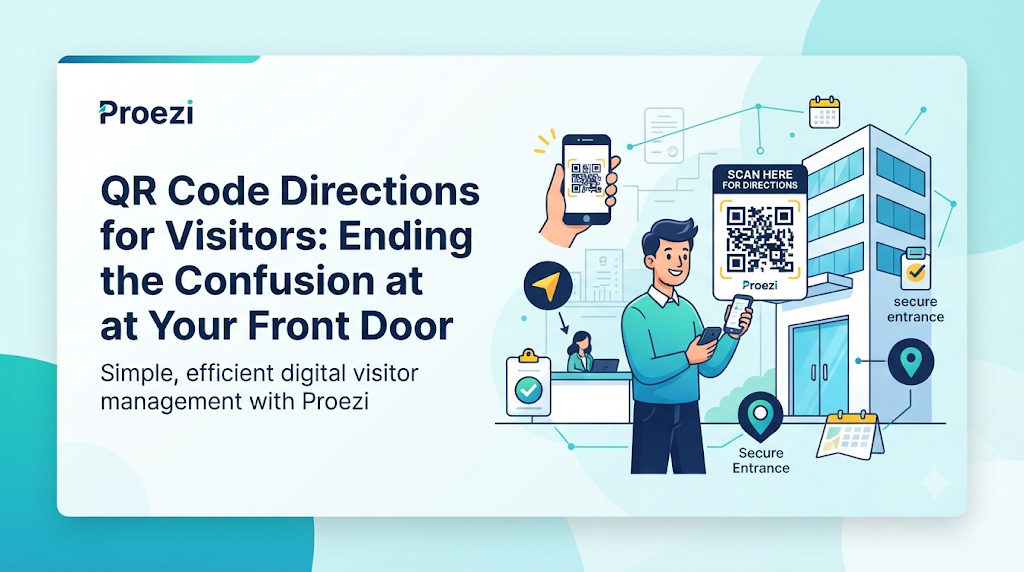
Think about how many interruptions happen at a busy workplace before lunchtime. A client sits idling outside because the main entrance is closed for repairs and calls reception for help. Five minutes later, a delivery van pulls into the VIP drop-off lane instead of the loading dock, blocking customer traffic. Inside the lobby, a job applicant wanders toward a secure employee wing, while a conference guest accidentally parks in a reserved executive lot.
None of these moments look like major crises on their own, yet together they create a steady operational drag. Every direction call answered by reception, every quick text sent by an account manager, and every security officer pulled away from screening duties to point someone down a hall adds up to hours of lost focus. Even worse, a frustrating arrival sets an awkward tone before a meeting even starts—leaving visitors flustered, behind schedule, or unsure they are in the right place.
This points to a clear question for operations teams: why do organizations repeatedly explain the exact same arrival steps one visitor at a time when that guidance could be structured once and shared through a single digital resource? By rethinking how location details are organized, businesses can replace reactive troubleshooting with a smooth, predictable arrival—using tools like QR code directions for visitors to connect a street address with the exact door, floor, or desk someone needs to find.
The Hidden Cost of Incomplete Location Information
Most companies treat location sharing as finished the moment a street address goes into an email signature or a map pin lands on a contact page. Yet standard navigation apps are built to bring a driver or pedestrian to a general street frontage or coordinate. They do not map the internal layout of a private site, highlight the specific doorway a visitor should use, or explain how to walk from an underground garage to a reception desk.
When businesses leave visitors to figure out the final stretch independently, familiar operational problems appear:
- Visitors reach the wrong building or entrance: Corporate parks, multi-building campuses, and corner properties often have several street-facing doors, many of which remain locked or require employee badges.
- Vehicles enter through restricted gates: Without clear advance instructions, drivers routinely follow standard GPS routing into employee-only lots, emergency access lanes, or exit-only driveways.
- Guests park in unsuitable areas: Visitors who cannot immediately locate designated guest bays often park in reserved tenant spots, loading zones, or neighboring lots, leading to tenant complaints or towing risks.
- Delivery teams lose time locating unloading points: Couriers working against tight delivery windows frequently circle properties looking for freight elevators, dock numbers, or receiving windows.
- Reception teams repeatedly answer direction calls: Front-desk staff spend valuable hours acting as telephone navigators instead of greeting arriving guests and handling security check-ins.
- Visitors arrive late for meetings or appointments: When a candidate, patient, or client loses ten minutes hunting for the right door, every appointment on the schedule gets pushed back.
These issues grow far more complicated in large offices, hospitals, commercial complexes, event venues, and multi-location enterprises. A single street address can cover dozens of separate wings, entrances, and access rules—leaving guests to guess where they belong unless the organization guides them through.
Rebuilding the Arrival Process Around the Visitor
Fixing arrival confusion requires viewing a visit as a complete operational journey rather than a single address line. When designed from the visitor’s perspective, an organized arrival moves cleanly through four stages:
1. Before Departure
Before leaving home, the office, or a hotel, the guest needs more than a street number. Alongside the address and general map pin, they should receive a direct link to digital visitor arrival instructions. Placing that link inside calendar invites, booking confirmations, or dispatch notices lets visitors review parking rules, ID requirements, and entrance details before they start driving.
2. Outdoor Navigation
During transit, the visitor relies on their preferred turn-by-turn navigation app to reach the surrounding neighborhood or property perimeter. At this stage, the goal is simply bringing them to the correct approach road or perimeter gate without taking wrong turns around a large block.
3. On-Site Navigation
The instant a visitor crosses onto the property, road navigation ends and local wayfinding begins. By opening the shared arrival link or scanning an on-site QR code, the visitor sees exact instructions for turning into the guest parking area, following the right footpath, clearing security gates, and identifying the proper entrance.
4. Final Confirmation
Walking through the front door still leaves room for uncertainty unless the last few steps are clear. Final-step instructions confirm which elevator bank to board, which floor to select, how to sign in at reception, or which suite number to look for—while offering a direct button to call or message an on-site contact if a door is locked or help is needed.
Organizing details across these four stages makes digital visitor arrival instructions far more complete than a simple map link, removing hesitation at every handoff point.
What a Business Should Put Behind Its Arrival QR Code
An arrival QR code is only as useful as the page behind it. Pointing visitors to a company homepage or a general map pin still leaves them searching for answers while standing in a parking garage or foyer. Instead, an arrival page should deliver clear, practical steps tailored to the physical site:
- Exact location and map coordinates: Precise pin drops marking the specific guest entrance or parking turn-in rather than the geographic center of a large parcel.
- Parking entrances and designated spaces: Clear instructions showing which gate to enter, whether parking is free or validated, which level or zone is reserved for guests, and any vehicle height restrictions.
- Building gates and visitor entrances: Explicit guidance identifying which doors are open to visitors and how to operate intercoms or call boxes.
- Security and reception procedures: Advance notice of sign-in desks, photo ID checks, visitor badges, or host notification steps.
- Elevator and floor instructions: Details on whether elevators require badge access, which bank serves specific floors, and how to locate the right suite.
- Room numbers and department locations: Direct cues once the visitor steps off the elevator or enters a main hallway.
- Annotated photographs and recognizable landmarks: Visual references—such as a labeled photo of the visitor entrance awning, a numbered gate, or a nearby street corner—so visitors can confirm immediately that they are in the right place.
- Emergency or assistance contact options: One-tap phone numbers or messaging links connecting directly to reception, security, or the event desk.
- Temporary access changes and notices: Prominent alerts covering construction detours, elevator maintenance, or special event traffic arrangements.
Formatting plays an equally important role. Visitors typically check arrival instructions on a phone screen while walking, waiting in a car, or standing in a busy lobby. Long blocks of text are difficult to scan in those moments. Arranging instructions into short, sequential steps with clear headings and visual cues ensures anyone can grasp what to do next in seconds.
Designing Separate Routes Without Creating More Administrative Work
Not everyone arriving at your property follows the exact same path. A single location regularly serves multiple visitor groups simultaneously, each with distinct operational rules and access points:
- Personal vehicle drivers need turn-in cues for guest parking and walking directions from the garage to reception.
- Pedestrians and public transit riders need walking steps from the nearest bus stop, train station, or crosswalk.
- Taxi and rideshare passengers need a safe, permitted drop-off zone close to the main visitor entrance.
- Delivery teams and couriers need commercial vehicle clearance details, loading dock hours, and freight entrance instructions.
- Suppliers and contractors often require security clearance steps, tool check-in points, or service-corridor access.
- Visitors requiring step-free access need clear routes highlighting ramps, accessible parking bays, wide-door entrances, and stair-free elevator access.
Managing these differences through manual emails or static attachments quickly creates extra administrative work. When teams maintain separate PDFs or email templates for every visitor category, changing a single parking rule requires updating multiple files and re-briefing staff.
Modern visitor wayfinding software removes that overhead by letting organizations publish distinct route options from one centralized location profile. Staff maintain core property details in one place while presenting tailored, step-by-step routes for each visitor group.
Consider a suburban business campus with four separate access points. Employees enter through a badge-controlled north gate, while interview candidates park beside the main glass atrium. Suppliers and freight trucks must use a dedicated service road along the west perimeter, and visiting customers check in at a separate client reception pavilion. By housing all four routes under one unified digital arrival system, the campus operations team ensures every visitor sees only the steps meant for them—without forcing staff to write custom emails all day.
When Printed Signs and Map Pins Are Not Enough
Organizations have relied on traditional ways of sharing directions for decades, yet every conventional method runs into limits during everyday operations:
- Sending directions through individual messages: Typing out instructions in one-off emails or chat threads wastes staff time, leads to inconsistent explanations, and leaves out important details when employees are rushed.
- Attaching static PDF maps to emails: Large PDF floor plans are awkward to pinch and zoom on a smartphone, slow to load over weak cellular connections, and impossible to update once sent.
- Printing detailed instructions that quickly become outdated: Paper handouts, brochures, and rigid signs lose accuracy the moment a tenant moves, a gate closes, or parking rules shift.
- Sharing a general map pin without entrance details: A standard map pin brings someone to the edge of a property but offers no help once they face multiple doors, garages, or security gates.
- Relying entirely on reception staff for navigation assistance: Live human guidance does not scale during peak arrival hours, shift changes, or busy event mornings.
Deploying QR code directions for visitors bridges the gap between physical spaces and live digital information. Because a reusable QR code points to a maintained web page, organizations can print that code on permanent entrance plaques, appointment cards, delivery manifests, and visitor badges while keeping the ability to edit the underlying instructions whenever conditions change. That same digital link can also be embedded into automated calendar confirmations, pre-visit emails, and company websites, ensuring consistent guidance across every channel.
Making Last-Mile Navigation Work Across Different Environments
The exact structure of last mile navigation for businesses depends heavily on the layout of the property and the expectations of the people visiting it. Tailoring parking and entrance directions for visitors to match the physical environment turns potential bottlenecks into smooth arrivals.
Office Buildings
In corporate offices and multi-tenant towers, the main priority is moving guests cleanly from the street to the right reception desk or meeting room. Arrival pages should specify which parking garage level accommodates visitors, where pedestrian walkways connect to the main lobby, whether building security requires pre-registration, and which elevator bank reaches the company’s floor.
Hospitals and Clinics
Healthcare facilities can feel overwhelming for patients and family members, particularly when someone is unwell or anxious about an appointment. Digital arrival instructions help patients identify the exact wing or outpatient entrance closest to their clinic, locate drop-off zones for mobility-impaired visitors, find accessible parking, and follow clear floor-by-floor steps to the right department check-in counter.
Event Venues
Exhibition centers, stadiums, and conference halls handle concentrated surges of vehicle and foot traffic. Effective venue instructions guide attendees toward designated event parking lots, highlight pedestrian entry gates, clarify bag-check or ticketing lanes, and direct participants to registration desks and specific breakout halls.
Hotels
Hospitality properties welcome guests arriving by rental car, airport shuttle, taxi, and public transit at all hours. Clear arrival guidance explains where short-term check-in parking is located, how to access overnight self-parking or valet lanes, and where to find the main lobby entrance after hours.
Warehouses and Logistics Facilities
Industrial sites operate under strict safety and traffic separation rules. Arrival instructions for drivers should clearly state commercial truck entry gates, maximum vehicle height or weight limits, check-in procedures at the guardhouse, designated staging lanes, and specific loading bay numbers so freight vehicles never mix with passenger cars.
A Different Approach to Event-Day Direction Management
Event organizers deal with a very different logistical challenge compared to ordinary office or retail managers. At a standard workplace, entrance doors and parking lots stay relatively consistent from week to week. On event days, however, normal access conditions often change temporarily. Streets may close for pedestrian safety, specific gates may be dedicated to ticket holders, overflow parking lots may open across the road, and registration desks may be set up in temporary lobby areas.
Relying on static venue addresses inside ticket confirmations frequently causes confusion once temporary event traffic plans take effect. By deploying an event venue directions QR code, organizers can distribute updated, event-specific arrival instructions across digital tickets, registration confirmation emails, event websites, social media updates, and printed entrance signs.
Consider a regional business conference hosted at a large convention center. On the morning of the event, four distinct groups arrive simultaneously:
- General attendees need directions to the south parking structure and the main registration concourse.
- Keynote speakers and VIP guests are routed to a dedicated valet drop-off lane and a quiet check-in lounge on the second level.
- Exhibitors and booth staff require access to the east freight marshaling yard during specific setup windows.
- Catering and audiovisual suppliers must enter through a timed service gate at the rear of the venue.
By organizing separate route tabs behind a single shareable link and QR code, the event team ensures each group receives exact, role-specific instructions. If a sudden rainstorm or municipal road closure forces organizers to shift attendee entry from Gate A to Gate B an hour before doors open, updating the central page immediately gives every incoming guest accurate guidance without reprinting materials.
Building a Location Page That Answers Questions Before They Are Asked
Whether a visitor scans a sign outside your building or taps a link in a calendar invite the night before, the destination page needs to function as a complete, self-service guide. Creating a practical how to find us page for business operations means organizing essential details into a clean, scannable layout:
- A clear address and map: Display the full street address alongside an interactive map preview and exact GPS coordinates for the primary entrance.
- Directions from recognizable nearby landmarks: Add brief orientation cues—such as turning right just past a well-known intersection, bridge, or neighboring store—to reassure drivers approaching the area.
- Vehicle and pedestrian access: Separate driving directions from walking and public transit guidance so visitors do not have to filter out irrelevant steps.
- Parking information: Explain where to park, whether spaces are marked, how to obtain parking validation, and what to do if the primary lot is full.
- Entrance photographs: Include well-lit, daytime photos showing the building exterior, the specific doorway to enter, and any gate signage.
- Reception and internal navigation: Walk the visitor through the final steps inside the building, from security check-in to elevators, hallways, and room numbers.
- Visitor contact information: Place a clearly visible phone number or message button near the top and bottom of the page for immediate help.
- Mobile-friendly presentation: Ensure text is legible without zooming, buttons are easy to tap with one hand, and images load quickly on mobile data connections.
- Accessible route information: Clearly document step-free entrances, ramp locations, accessible restrooms, and elevator dimensions so guests with mobility needs can plan with confidence.
When built this way, the page serves two purposes: it prepares visitors before they leave home and acts as a real-time pocket guide during the final minutes of their arrival.
Keeping Directions Accurate When the Property Changes
Even the best-designed arrival guide loses its value if it falls out of sync with reality on the ground. Physical properties change far more often than businesses realize:
- Temporary construction work blocks sidewalks, closes turn lanes, or shifts pedestrian walkways.
- Closed entrances due to weather damage, security upgrades, or seasonal hours redirect foot traffic to secondary doors.
- Relocated reception desks during office remodeling leave guests standing in empty lobbies.
- Parking restrictions change when neighboring tenants expand or municipal street rules are updated.
- Security changes introduce new sign-in tablets, escort rules, or gate codes.
- Event-specific access arrangements temporarily alter normal weekday traffic flow.
- Changes to floors, departments, or room locations occur whenever teams reorganize or expand into new suites.
To prevent outdated instructions from eroding visitor trust, organizations should assign clear ownership for reviewing and updating arrival pages—typically within facilities management, office operations, or front-desk leadership. Making arrival updates part of standard operational checklists whenever maintenance or remodeling is scheduled ensures changes are published before visitors encounter them.
For organizations welcoming international clients, tourists, or diverse local communities, offering multilingual instructions further reduces misunderstandings at gates and reception desks. Additionally, supporting previously cached offline directions helps visitors who lose cellular signal inside underground parking garages, concrete stairwells, or rural industrial parks, allowing them to view the instructions they loaded earlier without interruption.
Beyond Navigation: The Other Information Businesses Keep Repeating
Once an organization examines how much time it spends answering location questions, a broader communication pattern becomes obvious. Arrival directions are rarely the only operational details that staff repeatedly copy, paste, and send to external contacts. Customers, suppliers, accountants, and partners regularly ask for two other categories of essential business information: payment instructions and official company registration details.
Payment Information Sharing
In day-to-day commercial operations, businesses frequently need to share bank details with customers, clients, or partners settling invoices, deposits, or service fees. Typing account numbers, routing codes, or payment references into individual emails increases the risk of transcription errors and creates version-control headaches if an account changes.
Using a dedicated, reusable digital page allows a business to present bank transfer instructions, required payment-purpose references, and supported international payment identifiers in a structured, easy-to-copy format. In regions where instant mobile payments are standard, displaying a UPI QR code payment page alongside bank transfer details makes it simple for customers to review the exact payment reference and complete their transfer accurately.
It is important to draw a clear operational distinction here: information-sharing platforms like Proezi provide structured pages for displaying payment instructions, not payment processing infrastructure. The platform does not process, collect, hold, or transfer funds. Instead, customers view the business’s published payment details and complete the transaction independently through their own banking application or payment service.
Business Identity Information
Before signing contracts, onboarding a new vendor, or issuing a tax invoice, partners and corporate buyers frequently request official company credentials. Organizations regularly need to share business registration details online—such as legal registered entity names, company registration numbers, tax or VAT identifiers, and registered office addresses.
Publishing these details on an official, shareable business identity page eliminates repeated back-and-forth emails with procurement and accounting teams. While digital tools can check whether a tax or registration identifier follows a valid structural format or checksum, businesses and their partners should always remember the difference between format validation and official verification: confirming an identifier’s syntax is not the same as independently verifying legal ownership or active registration status through an official government registry.
How Proezi Brings These Information-Sharing Tasks Together
Managing visitor arrivals, customer payment instructions, and official company identity details often forces businesses to juggle disconnected PDFs, ad-hoc emails, and static web pages. Proezi addresses this operational fragmentation as a web-based business information-sharing platform built around reusable pages and QR codes.
The platform brings together three core information-sharing capabilities in one place:
- Digital visitor arrival instructions: Organizations can publish clear, step-by-step arrival guides covering parking areas, access gates, building entrances, security check-in, elevators, floors, and specific rooms.
- Business payment information pages: Companies can organize and share bank transfer details, UPI information, PayPal details, supported international payment identifiers, and payment-purpose references in a clear format.
- Business identity information pages: Businesses can present their registered legal names, company registration identifiers, tax numbers, and related official details for clients, vendors, and partners.
For visitor management specifically, Proezi supports practical operational features including separate routes for different visitor types, annotated entrance photographs, exact map coordinates, direct tap-to-call or message contact buttons, prominent temporary access notices, multilingual instructions, and previously cached offline directions for areas with weak connectivity.
Because shared pages open directly in a standard mobile or desktop web browser, visitors, customers, and suppliers do not need to download a dedicated mobile application or create an account to view instructions. By connecting reusable links and printable QR codes to centrally maintained pages, organizations can update a gate code, temporary detour, or billing reference once and keep every touchpoint accurate.
A Business Implementation Plan: From First QR Code to Everyday Use
Transitioning from informal direction sharing to a structured digital arrival process does not require a complex IT rollout. Organizations can implement the system steadily using a straightforward eight-step sequence:
- Identify the most common visitor questions and arrival problems: Ask receptionists, security guards, and sales or operations staff which questions they answer most frequently each week.
- Map the complete route from the surrounding area to the final destination: Walk and drive the approach yourself to note confusing intersections, unmarked entrances, and internal turns.
- Prepare separate instructions for relevant visitor categories: Group your audience into practical categories—such as car visitors, pedestrians, delivery drivers, and guests needing step-free access—and write concise steps for each.
- Add photographs, landmarks, parking details, and contact information: Take clear photos of gates, parking turn-ins, and entrance doors, and pair them with direct phone numbers for on-site assistance.
- Publish the arrival information through a reusable page: Organize the steps cleanly so a visitor can scan the page in seconds on a smartphone.
- Generate and test the QR code on different smartphones: Print a test code and scan it using different mobile devices and browsers to confirm fast loading and clear readability.
- Place the QR code on appropriate signs and communication materials: Add the QR code to entrance plaques, parking gate signs, visitor badges, and delivery docks, while embedding the corresponding web link into email signatures, calendar invitations, and booking confirmations.
- Review visitor feedback and update instructions when conditions change: Check in periodically with front-desk staff and arriving guests to spot lingering confusion, and update the page whenever building access changes.
If your organization operates across multiple offices, clinics, or warehouses, start with a single high-traffic location or main entrance first. Refining the format on one property creates a repeatable template that can be rolled out smoothly across additional sites.
Measuring Whether Better Directions Are Making a Difference
Once digital arrival instructions and on-site QR codes are in place, operations teams can track practical, everyday indicators to evaluate whether visitor communication is improving:
- Fewer calls asking for basic directions: Reception and support staff should notice a steady decline in routine phone calls from guests lost outside the building.
- Reduced wrong-entrance arrivals: Security desks and neighboring tenants should see fewer visitors mistakenly entering staff-only doors or wrong wings.
- Fewer missed or delayed appointments caused by navigation confusion: Meetings, interviews, and clinical appointments should begin more consistently on schedule.
- Less time spent guiding visitors manually: Staff members should spend less time walking out to parking lots or typing custom location explanations.
- Fewer delivery access misunderstandings: Couriers and freight drivers should locate unloading zones and check-in windows with less back-and-forth communication.
- More consistent information across communication channels: Every team member sends the exact same up-to-date link rather than relying on personal notes.
Rather than relying on generic industry benchmarks, organizations should observe their own baseline activity during the first few weeks—noting how often direction issues arise—and compare operational smoothness over time as guests adopt the digital instructions.
Conclusion: A Better Arrival Experience Starts Before the Visitor Reaches the Door
Getting a visitor to the right street address is only half the journey. True hospitality and operational efficiency depend on guiding people smoothly through the final stretch—from the public road into the right parking bay, through the proper entrance gate, past reception, and directly to the floor or room where they are expected.
When businesses replace scattered emails, static PDFs, and incomplete map pins with structured QR code directions for visitors, they protect staff productivity while giving every guest a calm, confident arrival. Extending that same organized approach to routine payment instructions and official company identity details further eliminates repetitive administrative work across the organization. With Proezi, businesses can bring visitor arrival routes, payment details, and official company information together through clean, reusable pages and QR codes that stay accurate long after they are shared.